Self-assign opportunities
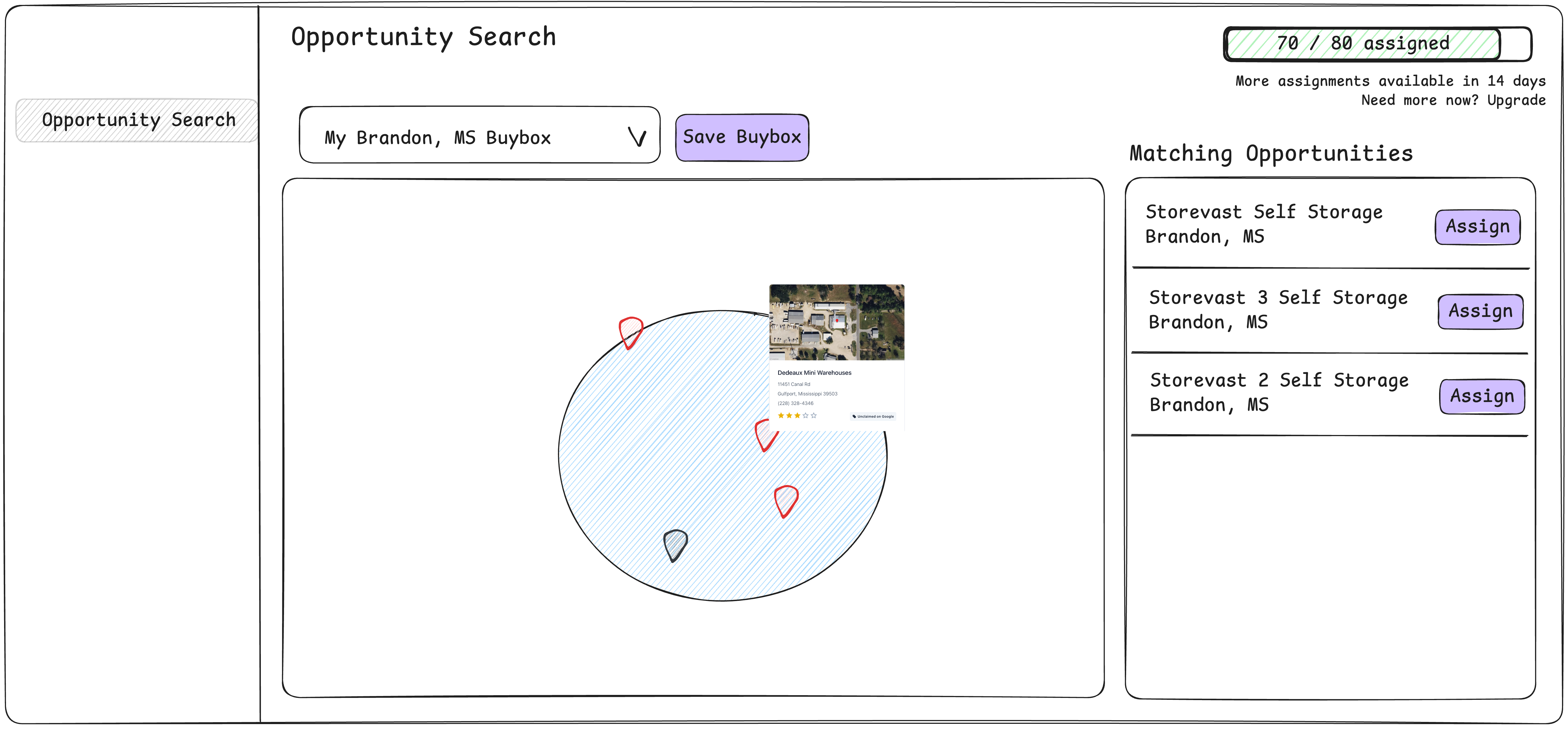
Customers can draw a radius on a map as their buybox.
We’ll show all the opportunities contained within that radius with pins on the map and a list on the side
Opportunities that the customer has already assigned will display as a gray pin and will not show in the list
Opportunities that the customer does not already have will be shown with a red pin
Customers can choose which opportunities they want by clicking the assign action in the list
Display how many opportunities they have assigned and how many they have remaining to assign
When the customer has consumed all their opportunities for the month, they will not have the option to assign more and we’ll show them when more opportunities can be assigned per the subscription tier
Status: Completed
Log in to comment and vote
No comments yet
Be the first to share your thoughts.